Markdown
The Markdown property is used to display Markdown content within an entity in Port.
Using this property will automatically create an additional tab in each entity page, displaying the formatted content.
An example can be seen in the live demo:
The service blueprint has a README property that displays the service's Readme file. As you can see in the example, the "Payment" service has a README tab that displays the value of the property in markdown format.
Schema definition
{
  "title": "Markdown Property",
  "type": "string",
  "format": "markdown",
  "description": "A Markdown property"
}
Limitations
GitOps and external markdown files
When using GitOps to display an external markdown file using the markdown property, changes made to the markdown file will not be reflected in Port until the port.yml file is also updated (this triggers a re-ingestion of the entity).
One way to handle this is to add a step in your CI workflow that bumps a "version" field in the port.yml file whenever specific files in the repository are updated, ensuring re-ingestion of the entity.
Mermaid
The markdown widget also supports Mermaid, a diagramming and charting tool that uses text and code to generate diagrams and charts.
To use Mermaid with the markdown widget, all you need to do is add mermaid syntax to the markdown property. You can refer to the Mermaid Examples for more examples and information on how to use it.
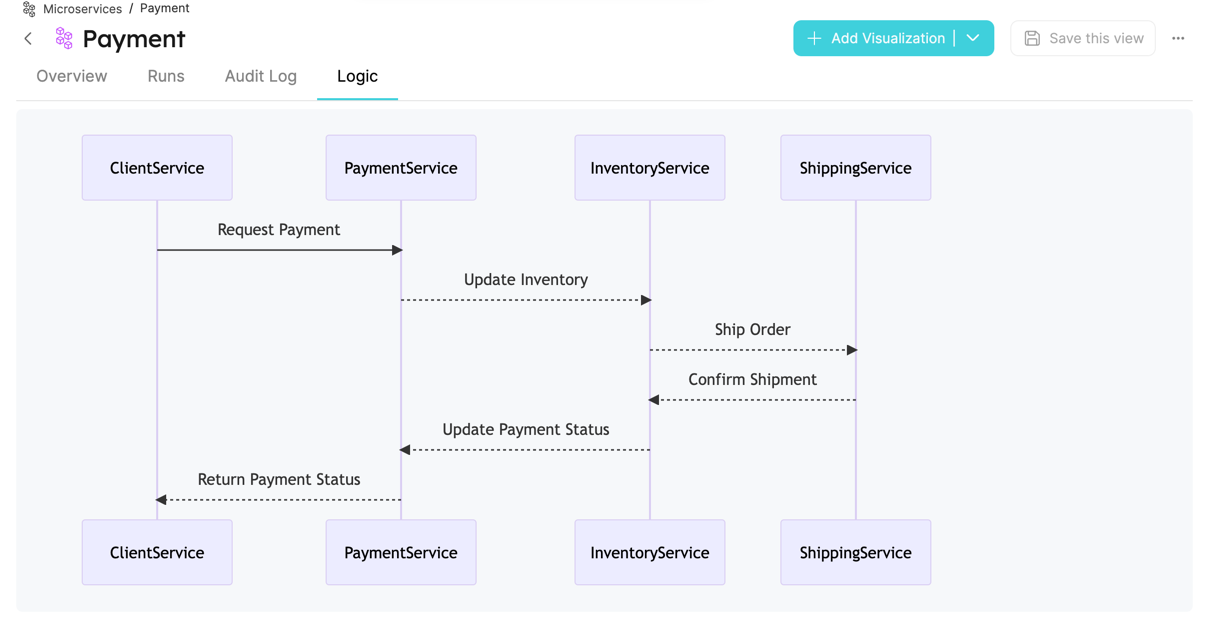
Mermaid diagram example (click to expand)
```mermaid
sequenceDiagram
    participant ClientService
    participant PaymentService
    participant InventoryService
    participant ShippingService

    ClientService->>PaymentService: Request Payment
    PaymentService-->>InventoryService: Update Inventory
    InventoryService-->>ShippingService: Ship Order
    ShippingService-->>InventoryService: Confirm Shipment
    InventoryService-->>PaymentService: Update Payment Status
    PaymentService-->>ClientService: Return Payment Status

```